
DHCP Attacks Explained: How Attackers Starve Your Network and Take Control (2026)

Every time a device joins a network your laptop at the office, your phone connecting to Wi-Fi, a new server coming online it needs an IP address. It does not pick one itself. It asks. And the service that answers that request is DHCP. Most people have never heard of it. Attackers know it very well.
DHCP attacks are one of the most effective ways to disrupt a network or silently intercept all its traffic. They are quiet, fast, and in an unprotected network, nearly effortless to pull off.
How DHCP Actually Works
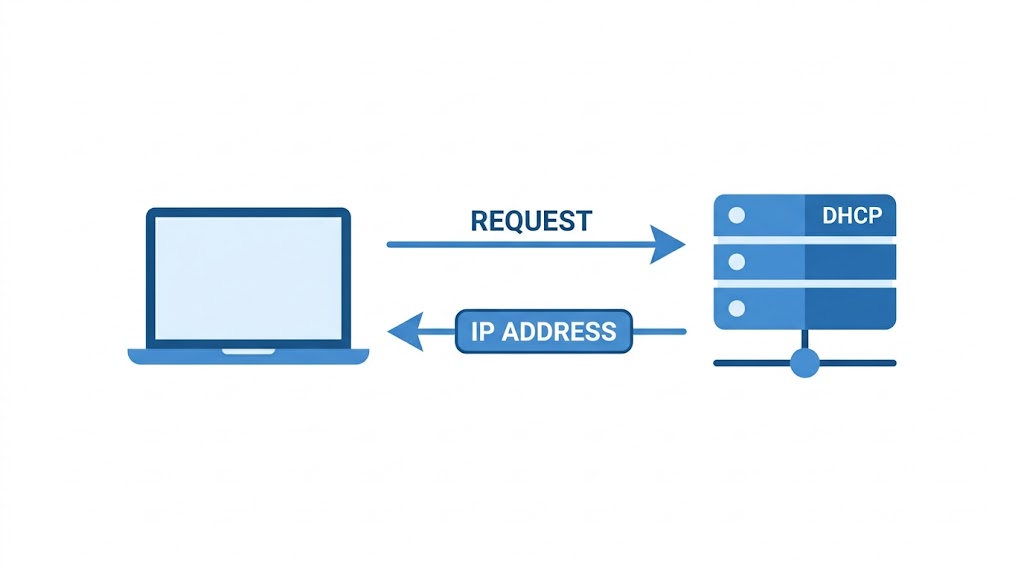
DHCP Dynamic Host Configuration Protocol is a client–server protocol that automatically assigns IP addresses and network configuration to devices joining a network. When your laptop connects to a network, it does not have an IP address yet. It broadcasts a request into the network asking for one. The DHCP server picks it up, assigns an address, and hands back everything the device needs: the IP address, subnet mask, default gateway, DNS servers, and how long the lease lasts.
The exchange follows six steps:
1. The client broadcasts a DHCPDISCOVER request asking for configuration
2. A DHCP relay agent captures the request and forwards it to available DHCP servers
3. The DHCP server responds with a DHCPOFFER containing available configuration
4. The relay agent broadcasts the offer to the client's subnet
5. The client broadcasts a DHCPREQUEST accepting the offer
6. The DHCP server confirms with a DHCPACK delivering the final IP configuration
This entire exchange happens in seconds and is completely invisible to the user. The problem is that DHCP has no built-in authentication. Any device on the network can respond to a DHCP request and attackers know exactly how to exploit that.
Attack 1: DHCP Starvation
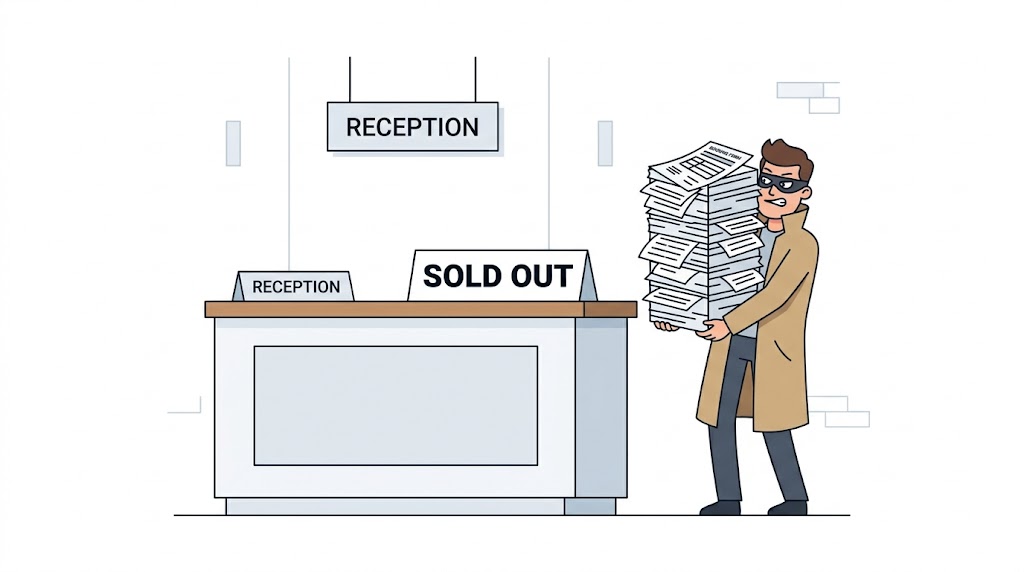
Imagine a hotel with 254 rooms. A DHCP starvation attack is like a single person booking every room under fake names before any real guests arrive. No one else can check in.
In a DHCP starvation attack, the attacker floods the DHCP server with a massive number of DHCP discovery requests, each using a different spoofed MAC address. The server treats each one as a separate legitimate device and assigns it an IP address from its pool. The pool has a fixed size. Once it runs out, the server cannot issue any more addresses.

From that point on, legitimate users employees trying to connect to the office network, devices rebooting, new users joining get nothing. They cannot obtain an IP address and cannot access the network. The result is a full denial-of-service attack against the entire network without touching a single firewall or sending a single exploit.
Tools used to execute this attack include Yersinia,Hyenae, and DHCPig. Yersinia, for example, can flood a switch’s DHCP pool with thousands of fake requests per second from a single terminal command.
Attack 2: Rogue DHCP Server
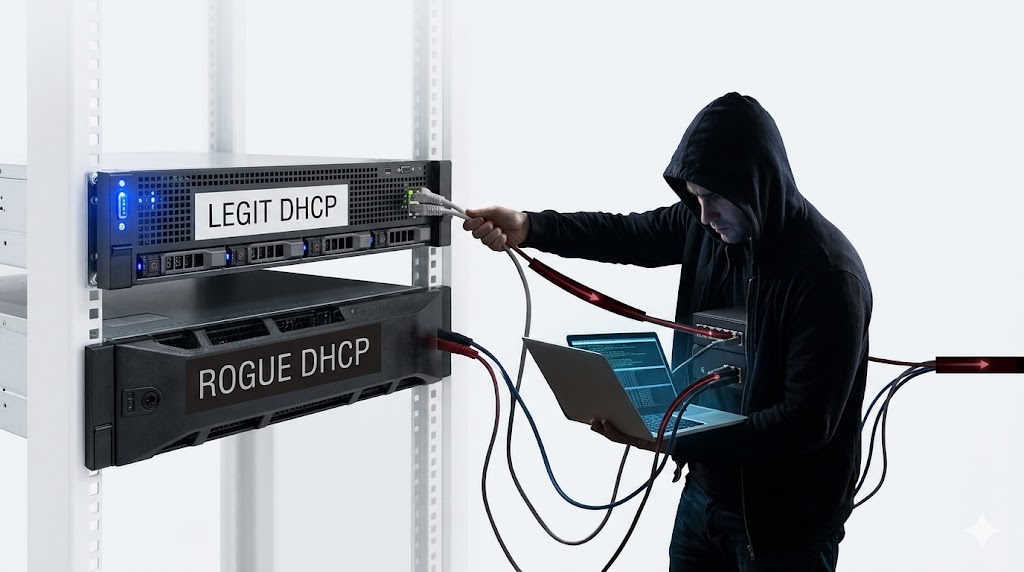
The starvation attack is often just the first step. Once the legitimate DHCP server is exhausted and cannot respond to new requests, the attacker sets up their own DHCP server on the same network a rogue server.
The rogue server waits for clients to send DHCP discovery requests. When they do, it responds faster than the legitimate server or is the only one responding because the real server has been starved. The client accepts whichever offer arrives first. If that is the rogue server, the client receives poisoned configuration:
• Wrong default gateway — the attacker’s machine becomes the gateway, meaning all outbound traffic flows through the attacker first
• Wrong DNS server — DNS queries go to the attacker’s DNS, which can redirect users to fake websites
• Wrong IP address — a spoofed IP can cause a denial-of-service by assigning an address already in use
The result is a complete Man-in-the-Middle attack. Every packet the victim sends to the internet goes through the attacker’s machine first. The victim’s screen looks completely normal. Pages load. Logins appear to succeed. The attacker is reading everything.
What makes this particularly dangerous is how long it can go undetected. The client thinks the network is working correctly because from their perspective, it is. There are no error messages, no slowdowns, no signs that anything is wrong.
How to Defend Against DHCP Starvation
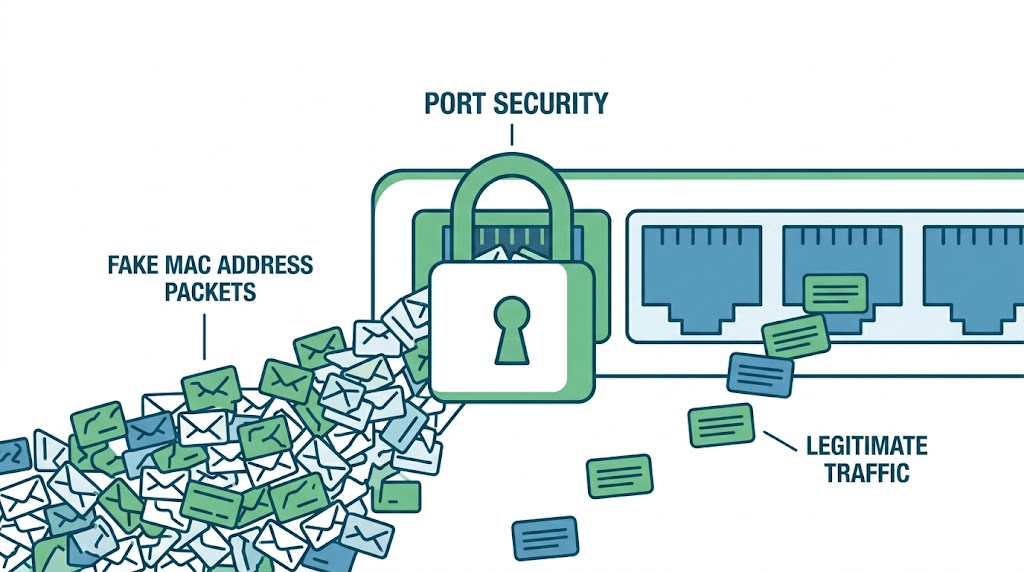
The defense against DHCP starvation is port security the same feature that defends against MAC flooding. Port security limits the number of MAC addresses allowed on each switch port. Since a starvation attack floods the network with thousands of different MAC addresses from a single port, port security catches it immediately.
When the number of MAC addresses on a port exceeds the configured limit, the switch drops further packets from that port and sends an SNMP alert. The attack is stopped before the DHCP pool overflows.
On a Cisco switch, configure port security with these commands:
switchport port-securityswitchport port-security maximum 1switchport port-security violation restrictswitchport port-security aging time 2switchport port-security aging type inactivityswitchport port-security mac-address stickyOn Juniper switches, MAC limiting is configured per interface:
set interface ge-0/0/1 mac-limit 3 action dropset interface ge-0/0/2 mac-limit 3 action dropDHCP filtering is another layer of defense. When applied, the switch checks the legitimacy of DHCP packets before forwarding them, ensuring clients only receive configuration from the authorised server.
To enable DHCP filtering on a switch:
config <IP address> dhcp filtering exitexitHow to Defend Against Rogue DHCP Servers
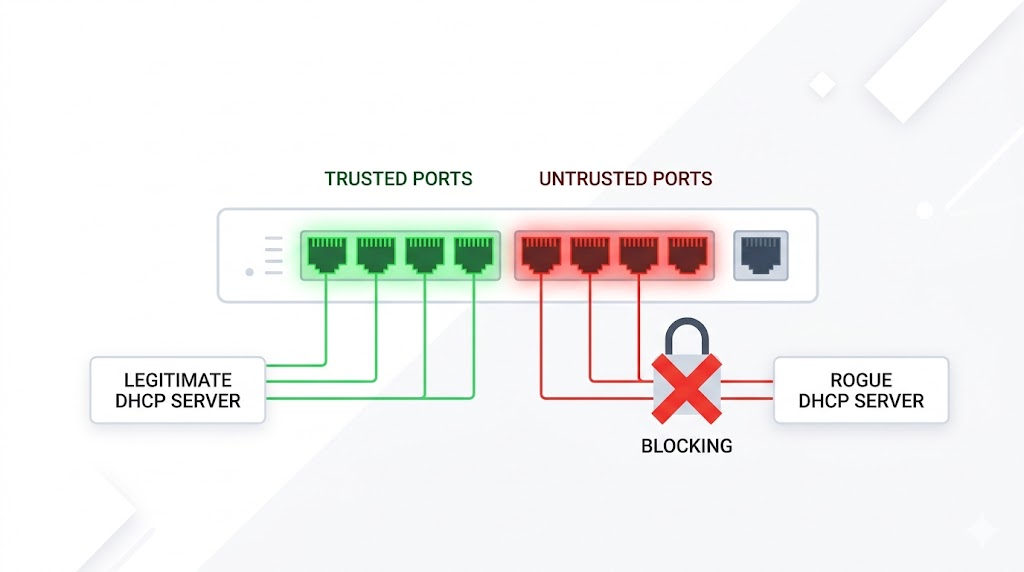
The primary defense against rogue DHCP servers is DHCP snooping a feature built into most managed switches. DHCP snooping works by dividing switch ports into two categories: trusted and untrusted.
A trusted port is connected to the legitimate DHCP server. The switch allows DHCP server responses (DHCPOFFER and DHCPACK) to come through this port freely.
All other ports are untrusted by default. The switch blocks any DHCP server response arriving from an untrusted port. This means even if an attacker connects a rogue DHCP server to the network, the switch will never allow its responses to reach clients. The attack is stopped at the infrastructure level.
All ports in a VLAN are untrusted by default when DHCP snooping is enabled. Only the port connected to the legitimate DHCP server should be manually set as trusted. This is the safest default configuration.
Configuring DHCP snooping on a Cisco switch:
ip dhcp snoopingip dhcp snooping vlan 4,104ip dhcp snooping trustip dhcp snooping limit rateshow ip dhcp snoopingThings to Keep in Mind
• DHCP starvation and rogue server attacks are often used together starve the real server first, then take its place with a rogue one
• These attacks are active sniffing techniques and can be detected with proper monitoring, unlike passive sniffing which leaves no trace
• Port security stops starvation attacks. DHCP snooping stops rogue server attacks. Both should be configured together for complete protection
• DHCP has no built-in authentication it was designed for convenience, not security. This is why infrastructure-level controls are the only reliable defense
Want to dive deeper?
Explore our certified internship and certification programs related to this topic.

Edwin Saji
Intern at Edwhere